cyboflow Home Features Docs Blog Changelog Download

Everything in the cockpit

All the systems built to keep you in a state of flow instead of pull you out of it.

A desktop machine, angled, showing the Cyboflow app: session rail, human review queue and decisions.
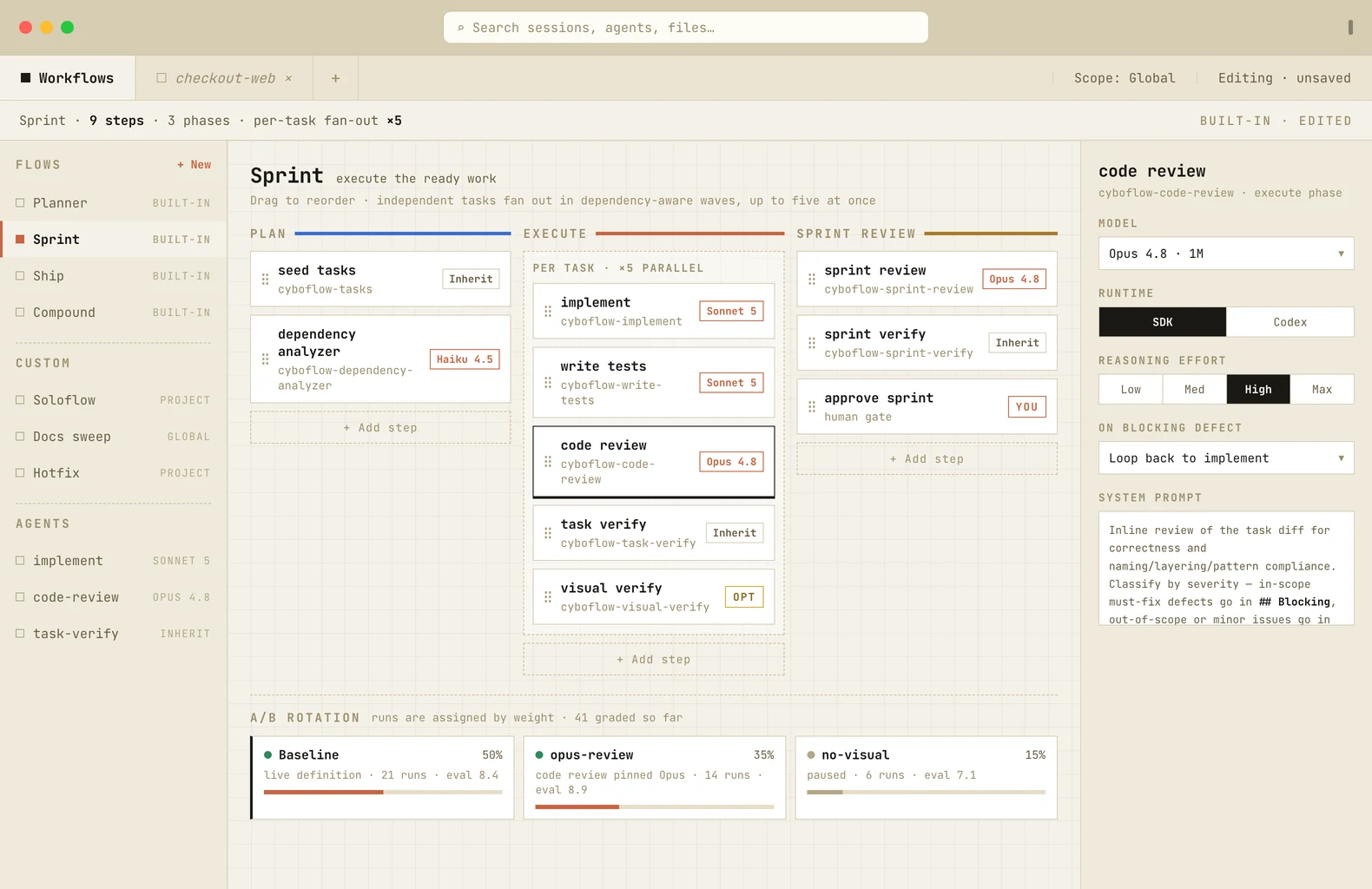
custom workflows

Build and run custom workflows

  • Five flows ship in the box. Planner fills the backlog, Sprint drains it, Ship does both, Compound extracts learnings, Launch builds a new project from scratch.
  • Every step is yours to move. Reorder, add, remove, or start from scratch.
  • Pin a model per agent. Sonnet or Luna for mechanical work, Opus or Sol where judgment matters.
  • A/B your own flows. Run variants side by side, compare results, and keep the better one.
The Cyboflow workflow editor: the Sprint flow laid out as Plan, Execute and Sprint review columns, with the code review step selected and pinned to Opus 4.8.
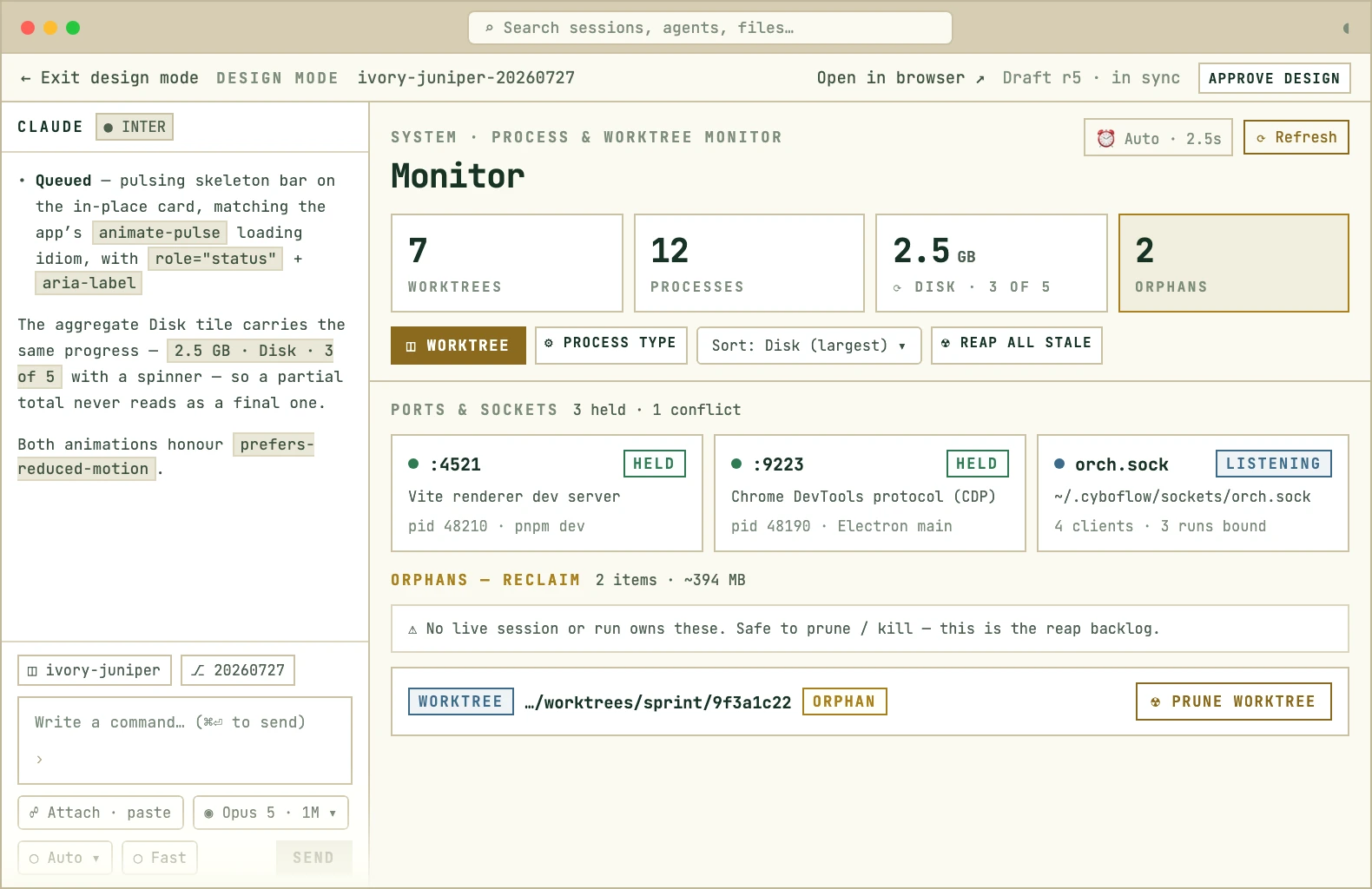
design mode

Design where the codebase already is

  • Prototype before you build. Generate real, rich prototypes in-app and iterate on them directly with the agent of your choice.
  • It reads your real project. Components, tokens and routes, not a blank canvas.
  • Hand off in place. One click from design to implementation, no export step.
  • Always up to date. The design and the code are the same tree, so what you build looks just like what you planned.
Cyboflow design mode: an agent thread on the left and the preview on the right, dimmed behind a design-in-progress badge while the agent redraws it.
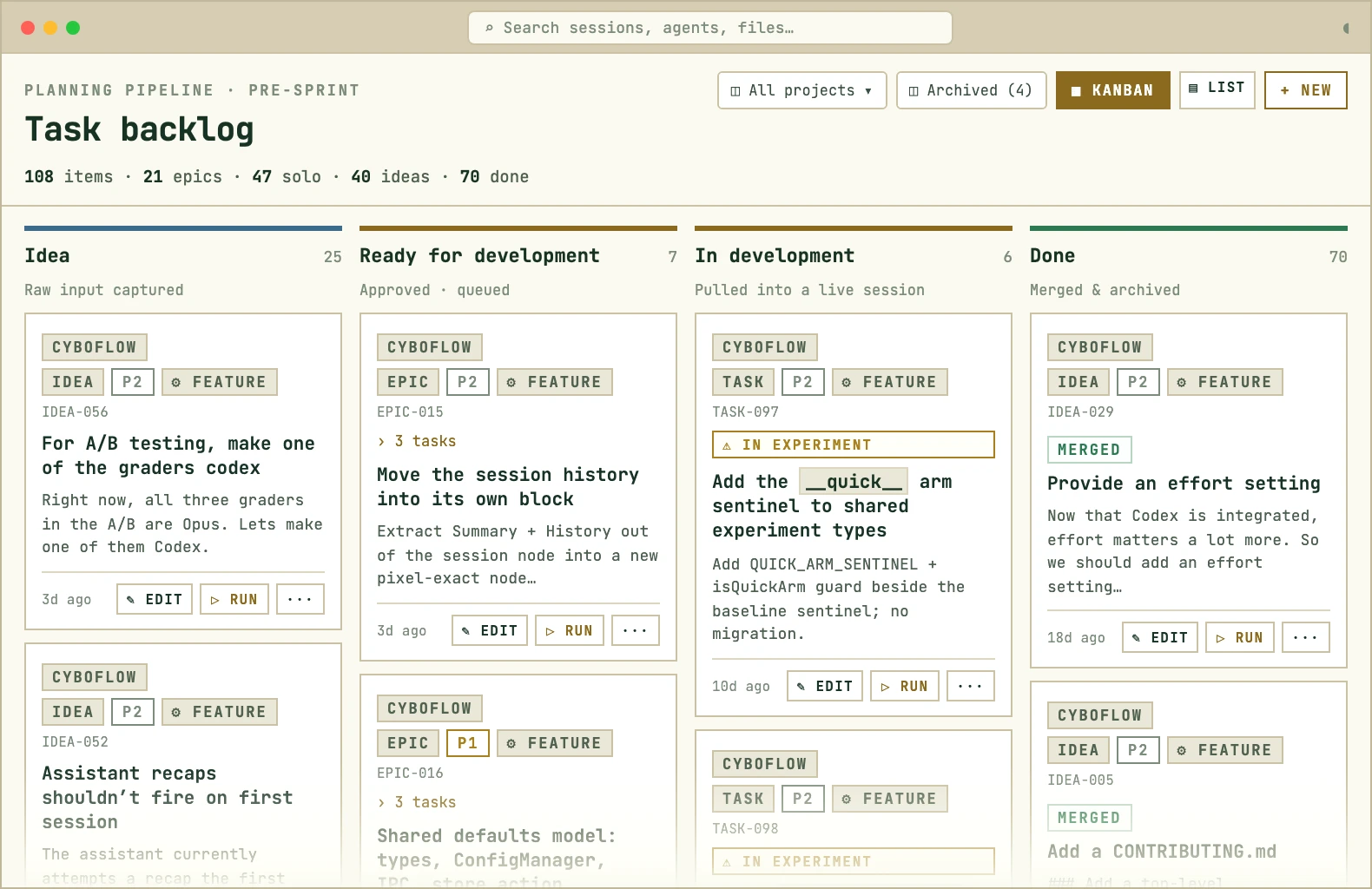
task tracking

One backlog, across every agent you run

  • Native tracking. Ideas, epics, tasks and done on one board.
  • Agents write to it. Progress lands as they work in real-time, not after, so you can see what needs to be done and what’s already in flight.
  • Sync to your favorite tools. Linear, Plane, Jira, GitHub Issues, and more coming.
  • One MCP surface. Your agents read the backlog out of the box across all your trackers.
The Cyboflow task backlog as a kanban board with idea, epic, task and done columns across 108 items.
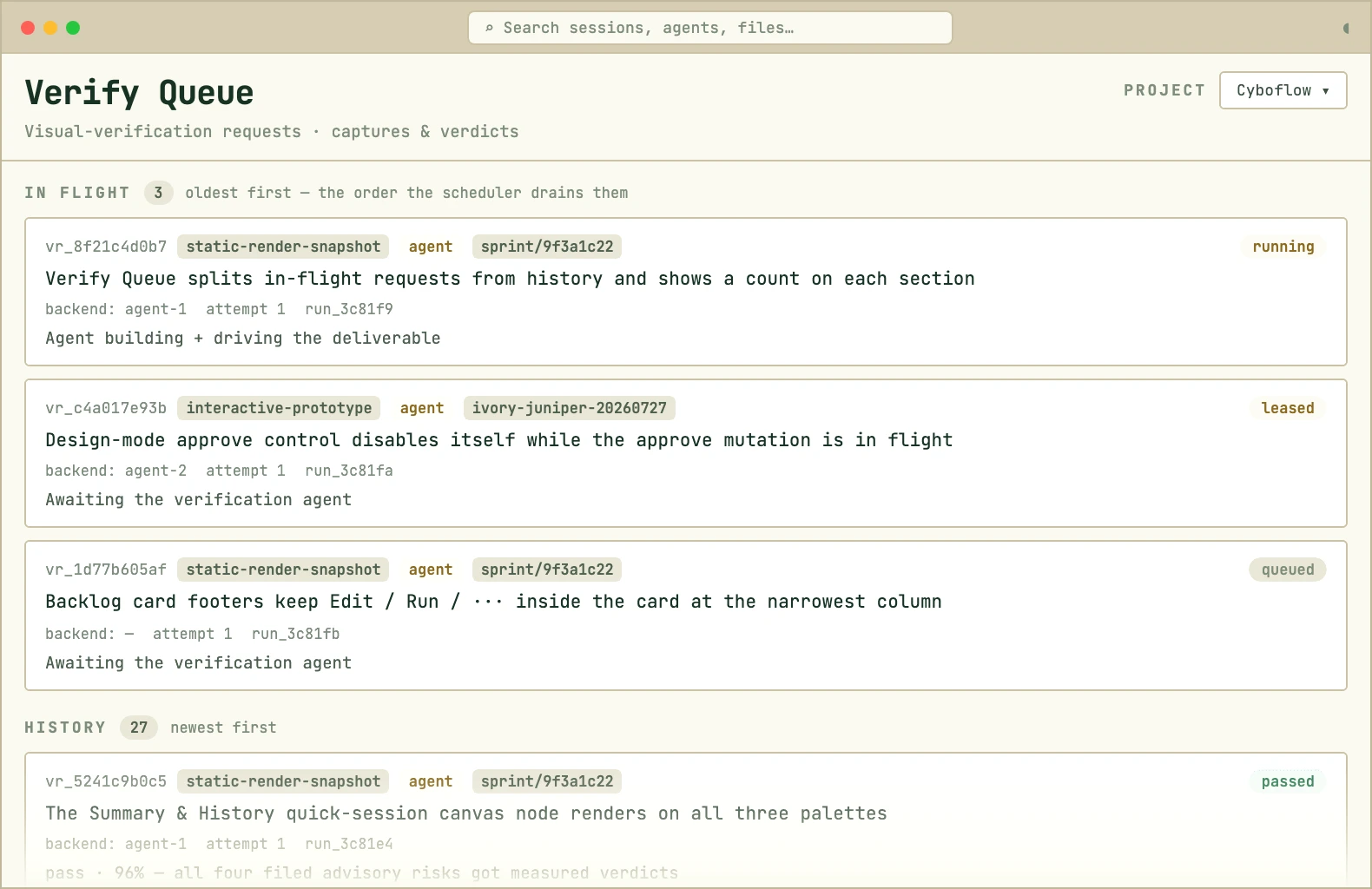
visual verification

Verification that runs instead of failing

  • One queue across all your agents. Verification runs through a central queue so you’re never trying to figure out which agent needs the dev instance next.
  • Run-books per project. Build reusable playbooks so your agents aren’t rediscovering how to test your app every time.
  • Ports are assigned. No conflicts, no permission prompts mid-run.
  • A red run means the code is wrong. Not the environment.
The Cyboflow verify queue: in-flight verification runs above a history of completed passes and failures.
insights

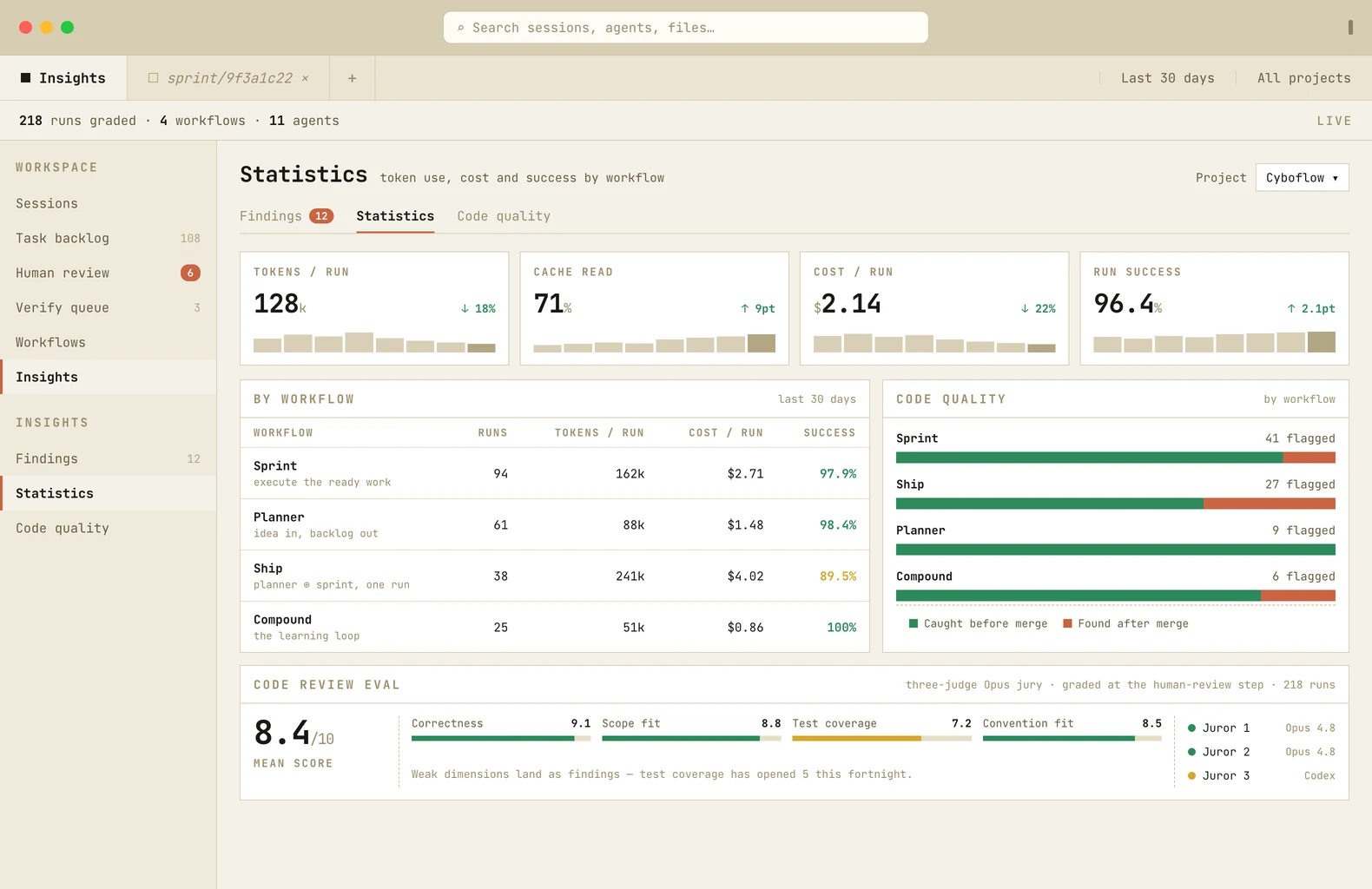
See what your runs cost, and what they caught

  • Cost per run, not per month. Tokens, cache reads and spend, trended by flow.
  • Quality you can point at. Issues caught before merge, and found after.
  • Runs grade themselves. A three-judge jury scores each diff against a rubric.
  • Weak scores become findings. Whatever the jury marks down feeds triage, so you can improve your process and your codebase.
The Cyboflow Insights view: tiles for tokens, cache read, cost and run success, a per-workflow table, and a code review eval panel showing a mean score of 8.4.

And the rest of the cockpit

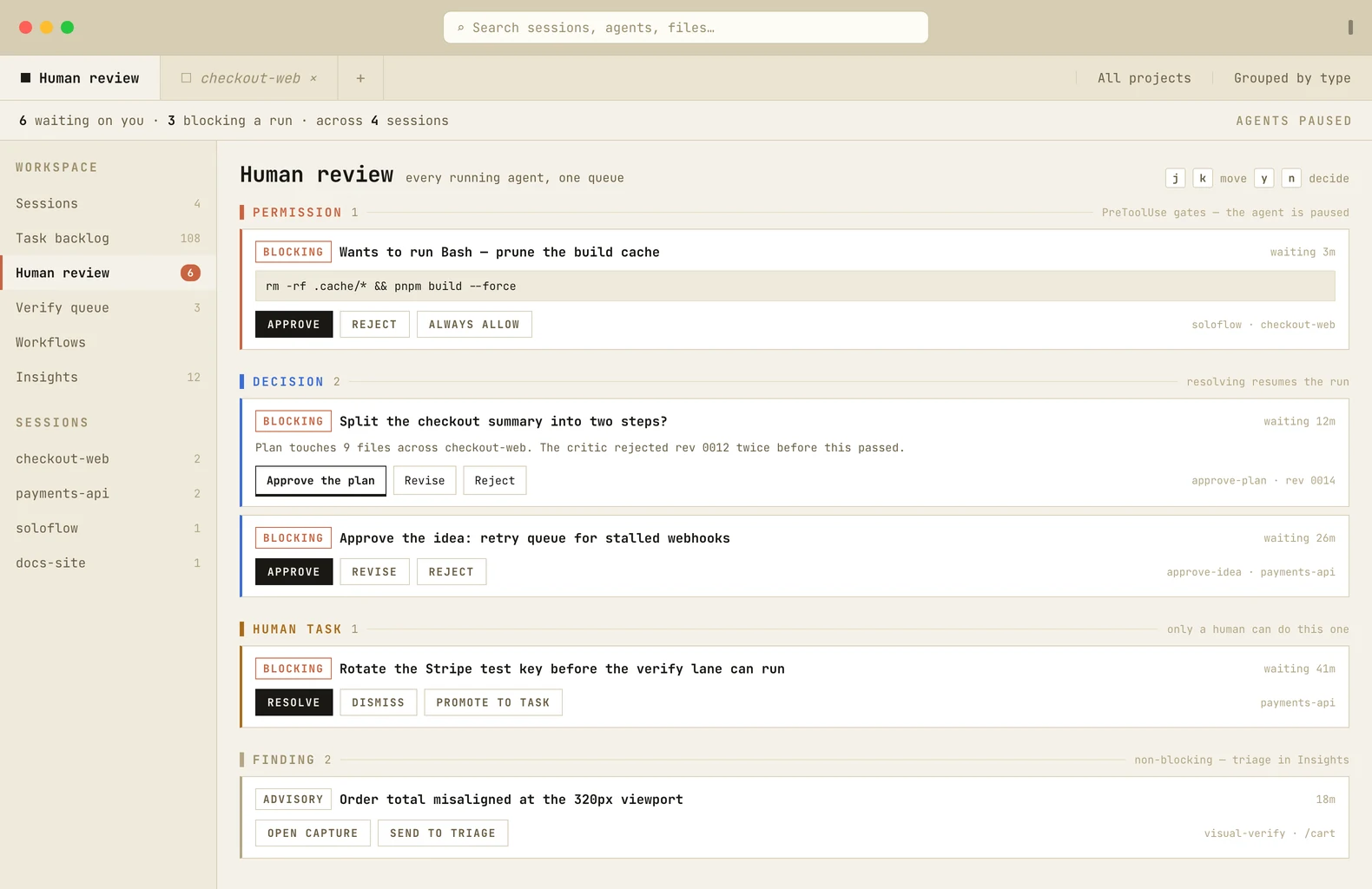
The Cyboflow human review queue, six items grouped by type.
review queue

One inbox for everything waiting on you

Permissions, decisions and human tasks from every running agent, cleared from the keyboard.
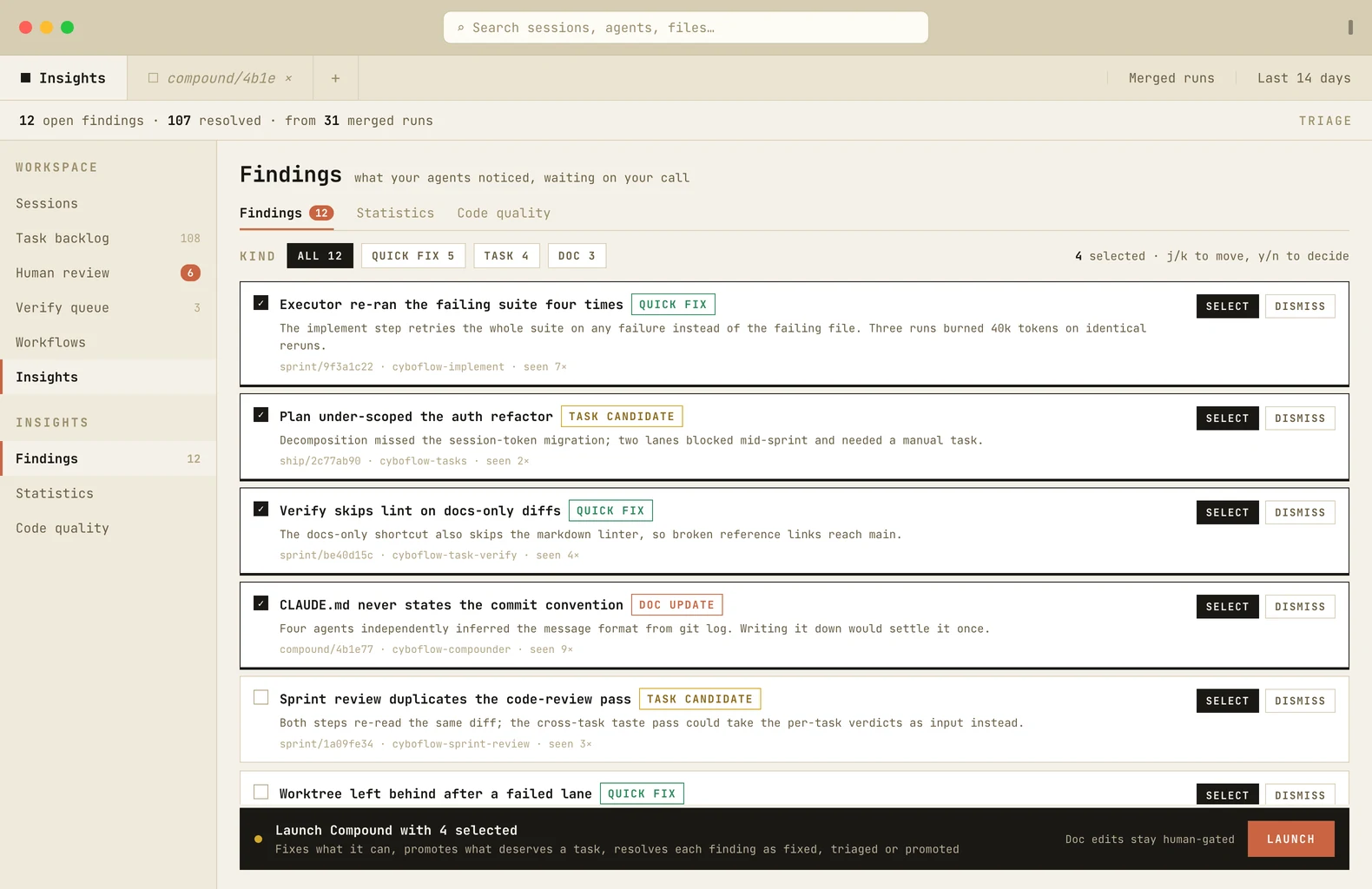
The Cyboflow findings triage view with six findings from merged runs.
learning loop

The system gets better after every merge

Findings raised during the work feed a Compound run that fixes, promotes and resolves them.
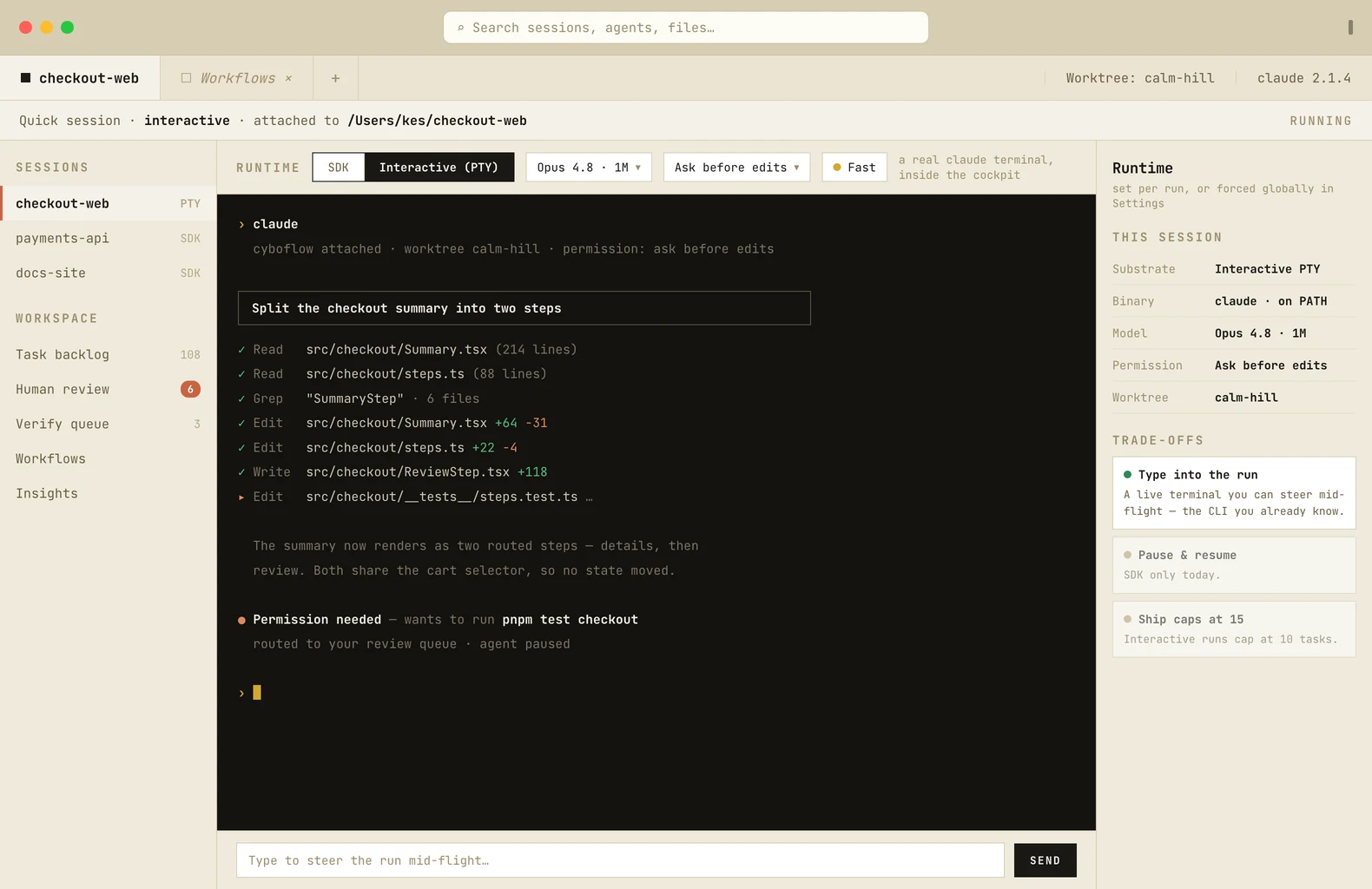
A Cyboflow session running on the interactive PTY runtime.
runtime

The terminal you know, inside the cockpit

Native support for the Claude and Codex CLIs, or use the bundled Agent SDK to get a richer chat experience.
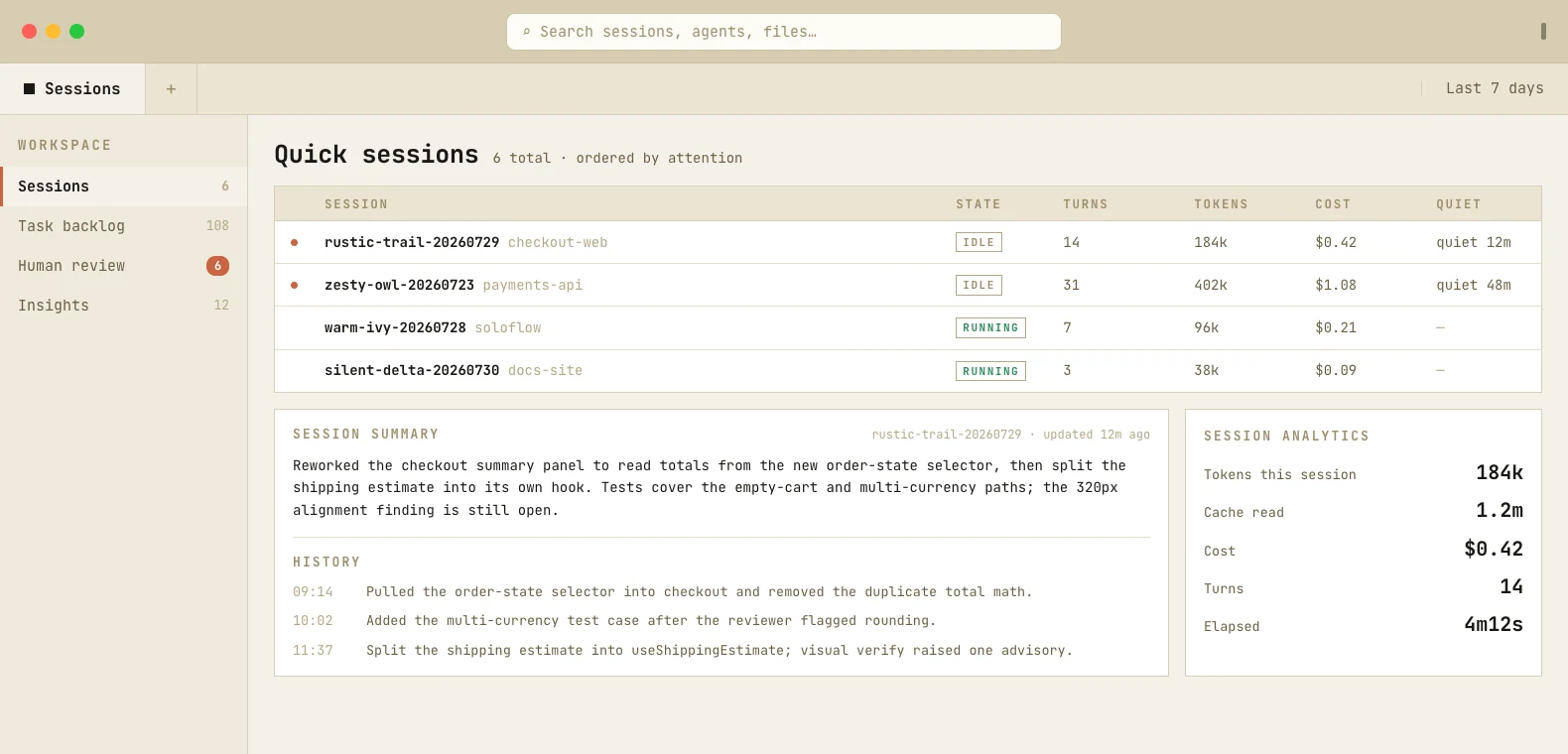
The Cyboflow quick-sessions board with a session summary, its history and per-session analytics.
session analytics

Every session summarized as it works

A rolling summary and per-sitting history beside tokens, cache reads, cost and turns.
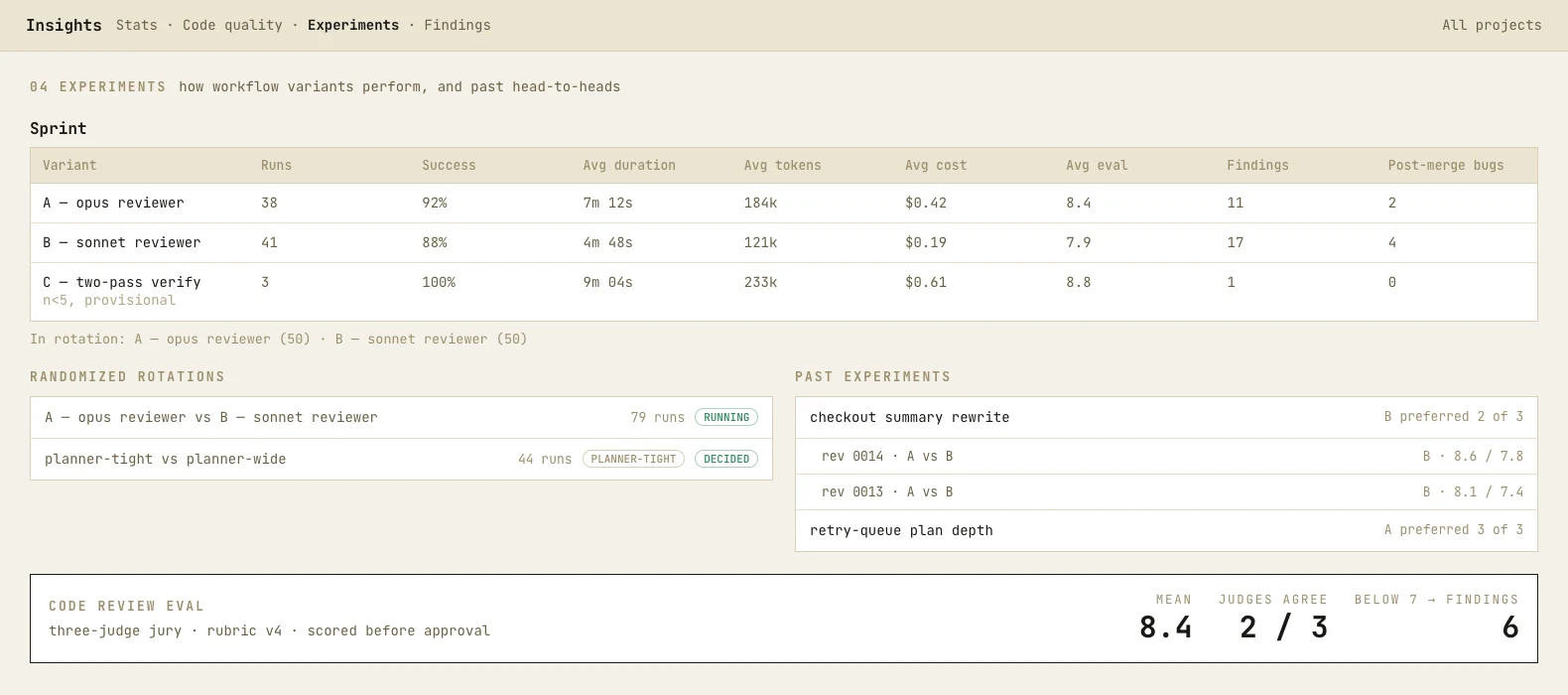
The Cyboflow Insights experiments section: a per-variant stats table, rotations, past experiments and the code review eval panel.
built-in evals

Runs grade themselves before you look

Each diff gets scored by a three-judge jury. Scores help you decide what to merge and track them to improve your workflow over time.
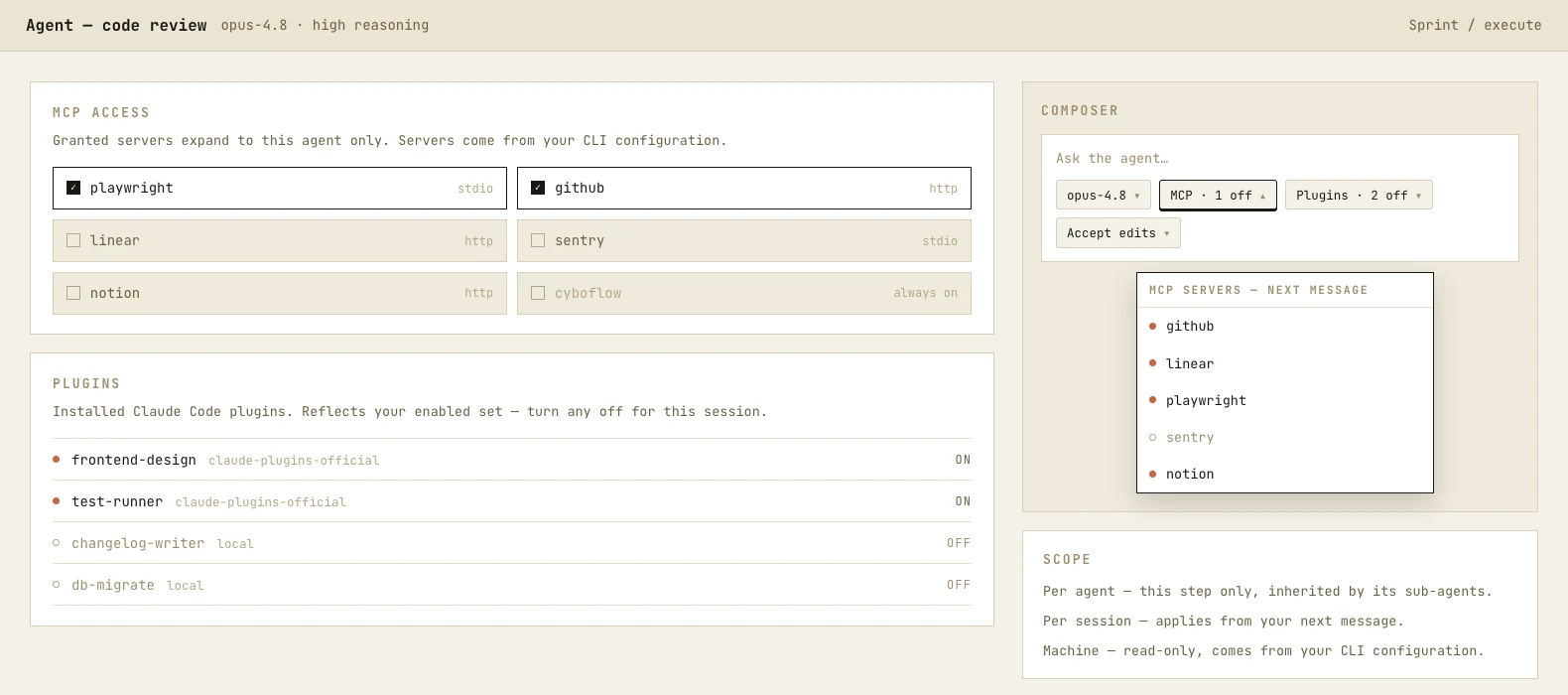
The Cyboflow agent editor: an MCP access grid, the installed plugin list, and the composer MCP toggle open.
plugin & MCP controls

Grant tools per agent, not per machine

MCP servers and Claude Code plugins can be controlled per session and per agent.
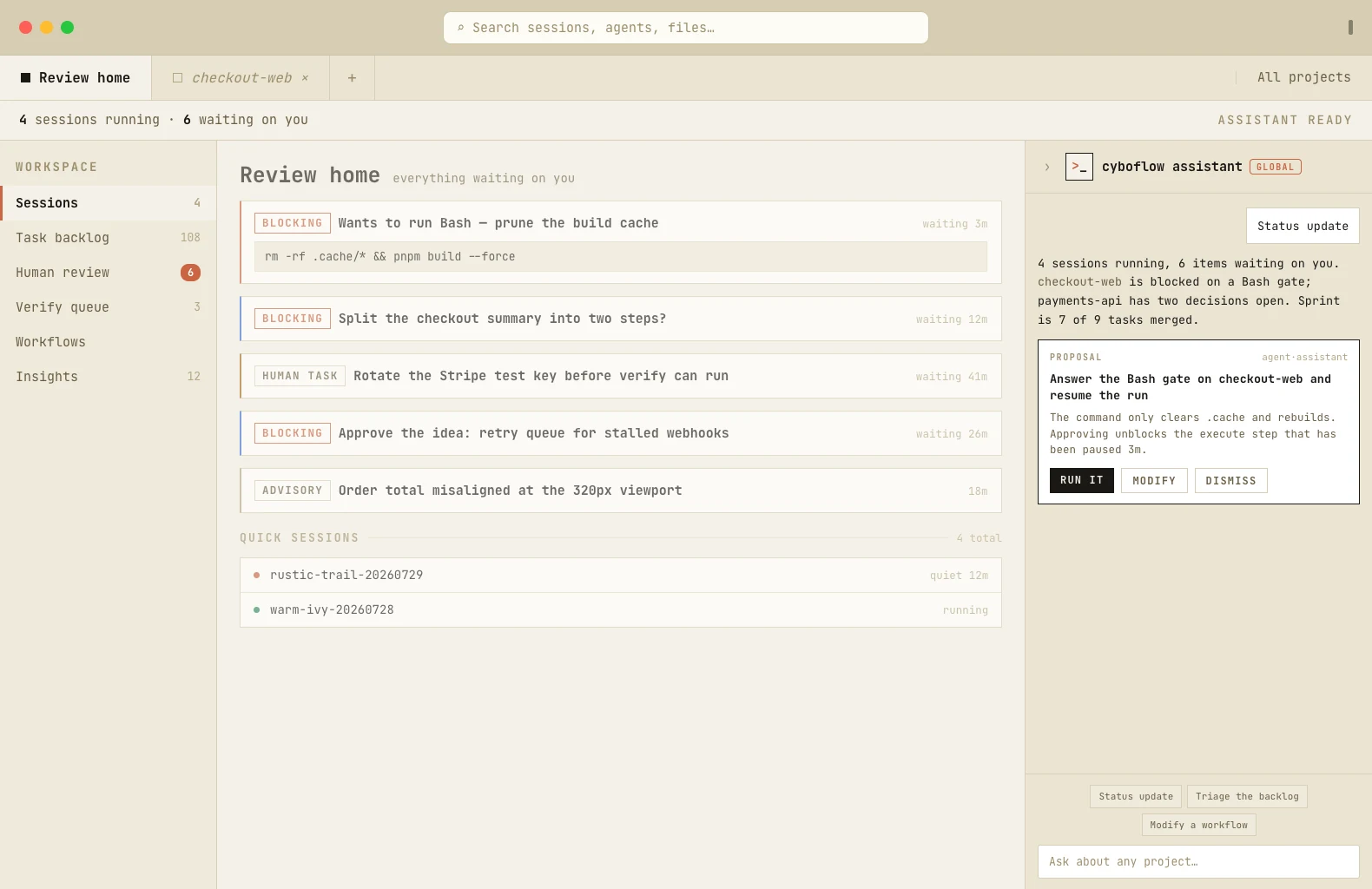
The Cyboflow assistant rail beside the review home, with a proposal card and suggestion chips.
global assistant

One assistant across every project

Ask for status, triage the backlog or modify a flow. A global chat surface to manage your whole system.